Blink: Make Your First Light
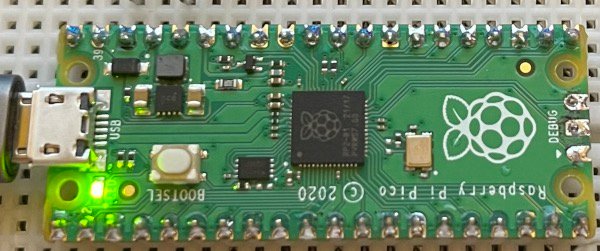
Every maker’s journey starts the same way: with one small light turning on because you told it to. This project takes about fifteen minutes and needs no wiring at all. The LED is already built into your board.
What you need
What you’ll build
A light that blinks on and off, forever, using a few lines of Python. It sounds simple, and it is. But by the end you’ll have written real code, sent it to real hardware, and changed how it behaves. That’s the whole loop of making, in miniature.
Get connected
Plug your board into your computer with a USB cable, then open the IDE and press Connect. Choose your board from the popup. If the console greets you, you’re in.
Make it blink
Copy the example code below into the editor and press Run. Watch your board. That little flash is your code, alive in the world.
Now break it (on purpose)
This is the fun part. Change the sleep numbers and run it again. Make it blink fast like a turn signal. Make it slow like a lighthouse. Make the on time long and the off time short. There is no wrong answer here. Every change you make teaches you how the loop works.
What you learned
You imported a module, controlled a pin, used a loop, and timed the real world with code. Every project on this site builds on exactly these moves. When you’re ready, pick your next build from the Explore page.
Run the code
# Blink: your first program on real hardware
# The LED is built into the board. No wiring needed!

from machine import Pin
import time

# "LED" points to the built-in light on the Pico.
# If your board is different, try Pin(2) for ESP32.
led = Pin("LED", Pin.OUT)

while True:
    led.on()          # light on
    time.sleep(0.5)   # wait half a second
    led.off()         # light off
    time.sleep(0.5)   # wait again

# Try it: change the sleep numbers and run again.
# What happens with 0.1? What about 2?Built it? Broke it? Improved it? That's making.
Find your next build